Open source
In-house AI
A self-hosted assistant for teams that need chat and document Q&A without sending files to a third-party model.
- Runs on your hardware
- Document Q&A with citations
- No inbound ports
- Swap Ollama for vLLM
The problem
Think of a small agency or a regulated practice with folders full of contracts, finances, HR records, and client files. An AI assistant would save them hours every week. But pasting those files into a public chatbot is out of the question, and they don’t want yet another company storing their conversations.
What I built
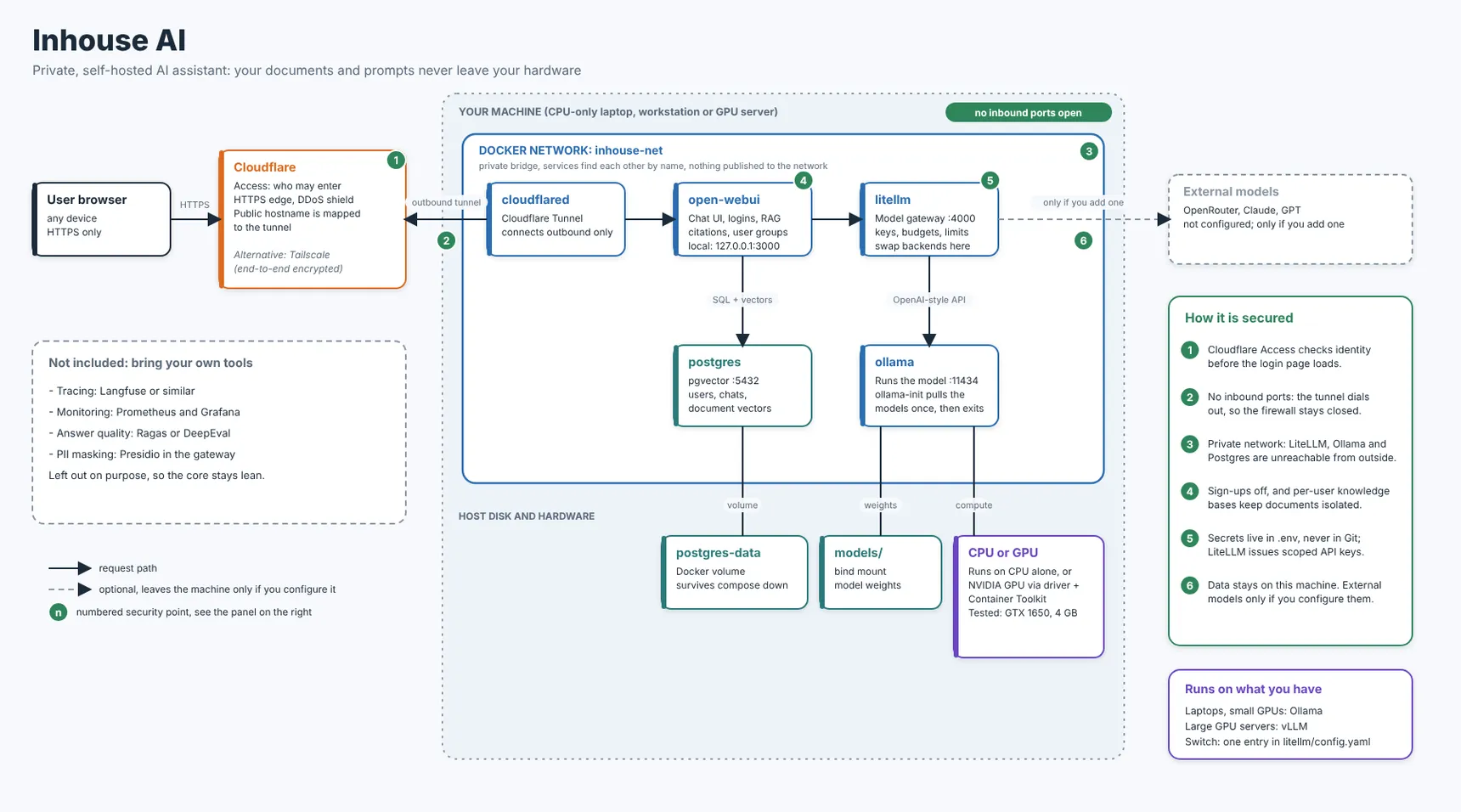
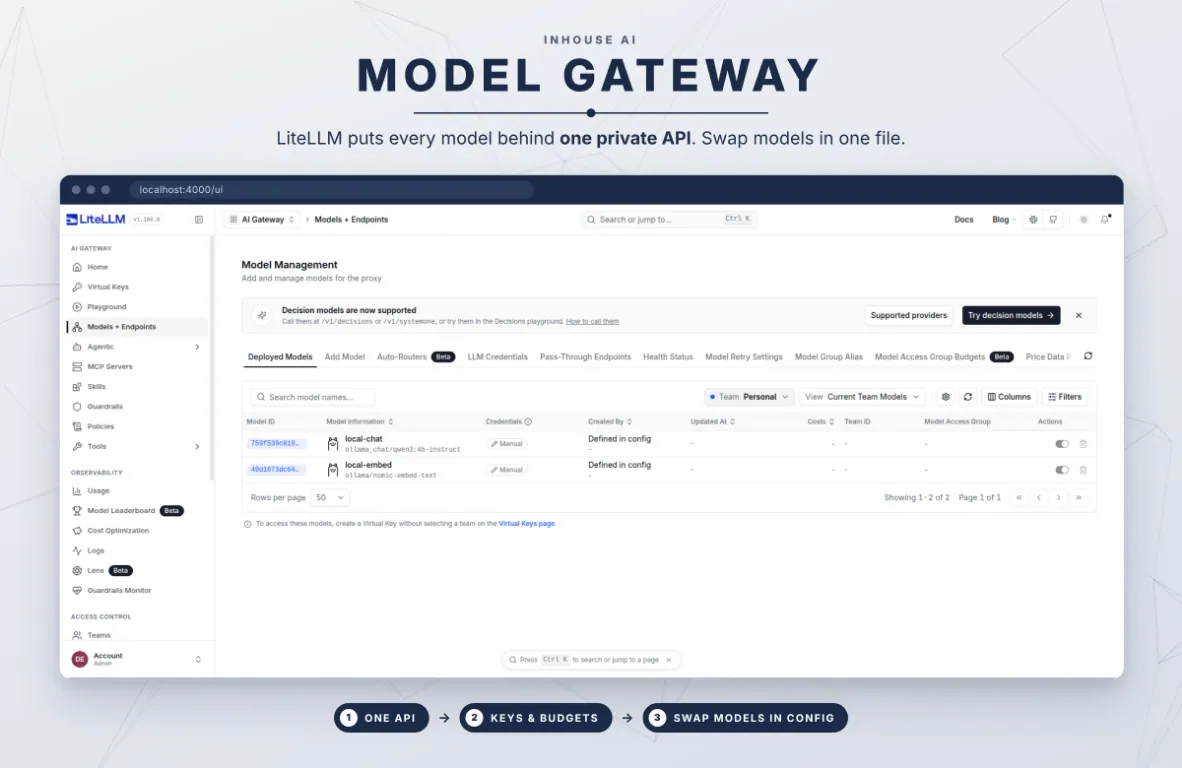
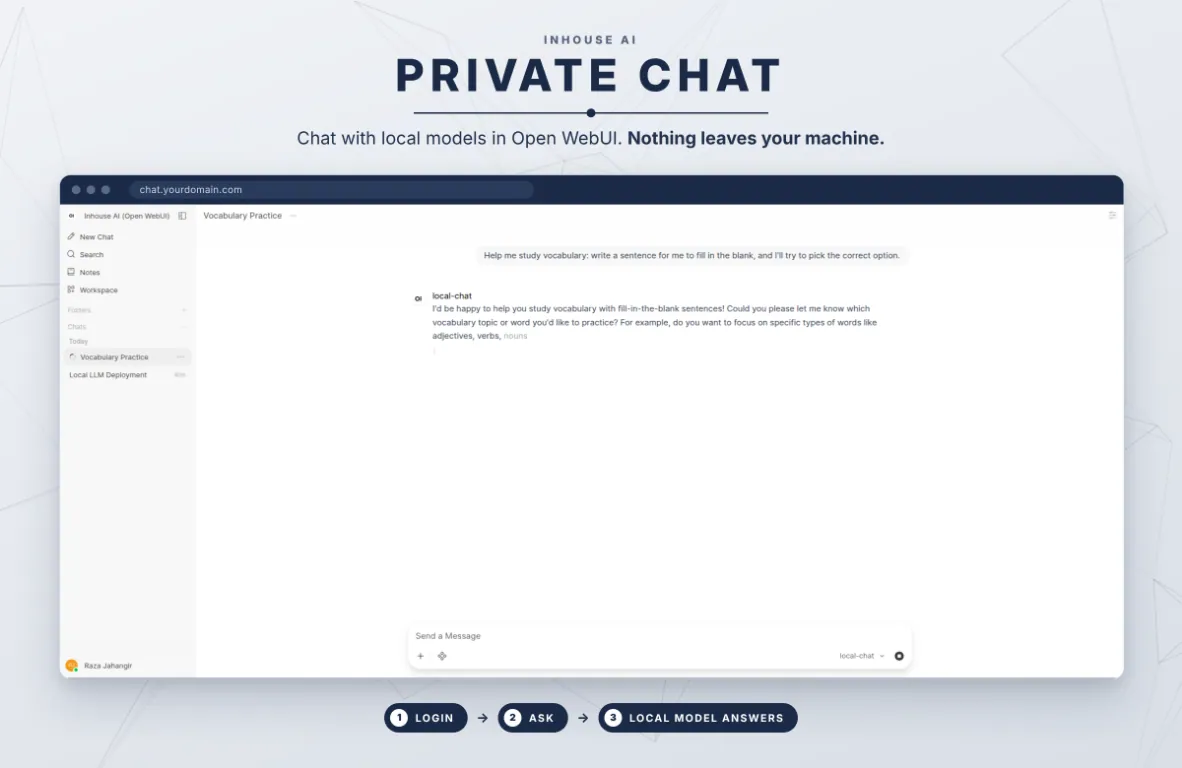
In-house AI is a private, ChatGPT-style assistant that runs on hardware the team already owns, from a laptop with no graphics card to a server full of GPUs. One Docker Compose file starts everything: the chat app (Open WebUI), a model gateway (LiteLLM), local models (Ollama), and a database (PostgreSQL with pgvector) for chats and documents.
The model, the document search, and the data all stay on that machine. No outside AI provider is set up. Adding one is a deliberate choice, never a default. Each person’s documents are kept separate, and sign-ups close after the first admin account.
Keeping it private
Nothing on the machine is open to the internet. Instead, a Cloudflare Tunnel connects outward, and Cloudflare Access checks who you are before you even see the login page. There’s an honest trade-off: Cloudflare can see the traffic as it passes through. For stricter data, the same setup works over Tailscale or on the office network only. Setup still needs internet access to download the software and models.
Room to grow
A built-in benchmark shows how fast the models run on your hardware. When the team outgrows it, the gateway can switch to vLLM on bigger machines, and nothing else has to change.
What’s public
The full setup is on GitHub: the compose file, the gateway config, the benchmark, and the security notes. Passwords and keys stay in a private settings file that never gets committed.